Light Up Christmas! Codes
Last checked by the CodesFeed editor · 5 working, 0 expired
A Christmas decorating tycoon whose codes are not in the game description at all: they live in the developer’s Discord, and the settings panel says so.
Working Light Up Christmas! codes
5 codes active · Checked Nov 18
| Code | Reward | Status | Prerequisite |
|---|---|---|---|
| 2x Presents for 20 minutes | Active | Finish the five-step tutorial | |
| 2x Presents and 2x Luck for 20 minutes, as the Discord post words it | Active | Finish the five-step tutorial | |
| One free Super Luck spin on a wheel of cash and multipliers | Active | Finish the five-step tutorial | |
| 2x Luck, 2x Cash and 2x Presents for 10 minutes | Active | Finish the five-step tutorial | |
| One free Mega Spin on the Mega Wheel | Active | Finish the five-step tutorial |
- Active
2x Presents for 20 minutes
Needs: Finish the five-step tutorial
- Active
2x Presents and 2x Luck for 20 minutes, as the Discord post words it
Needs: Finish the five-step tutorial
- Active
One free Super Luck spin on a wheel of cash and multipliers
Needs: Finish the five-step tutorial
- Active
2x Luck, 2x Cash and 2x Presents for 10 minutes
Needs: Finish the five-step tutorial
- Active
One free Mega Spin on the Mega Wheel
Needs: Finish the five-step tutorial
Codes are case sensitive: treebonus will not redeem TREEBONUS. Copy rather than retype — a capital or a trailing space is behind most “this code doesn’t work” reports.
How to claim Light Up Christmas! codes
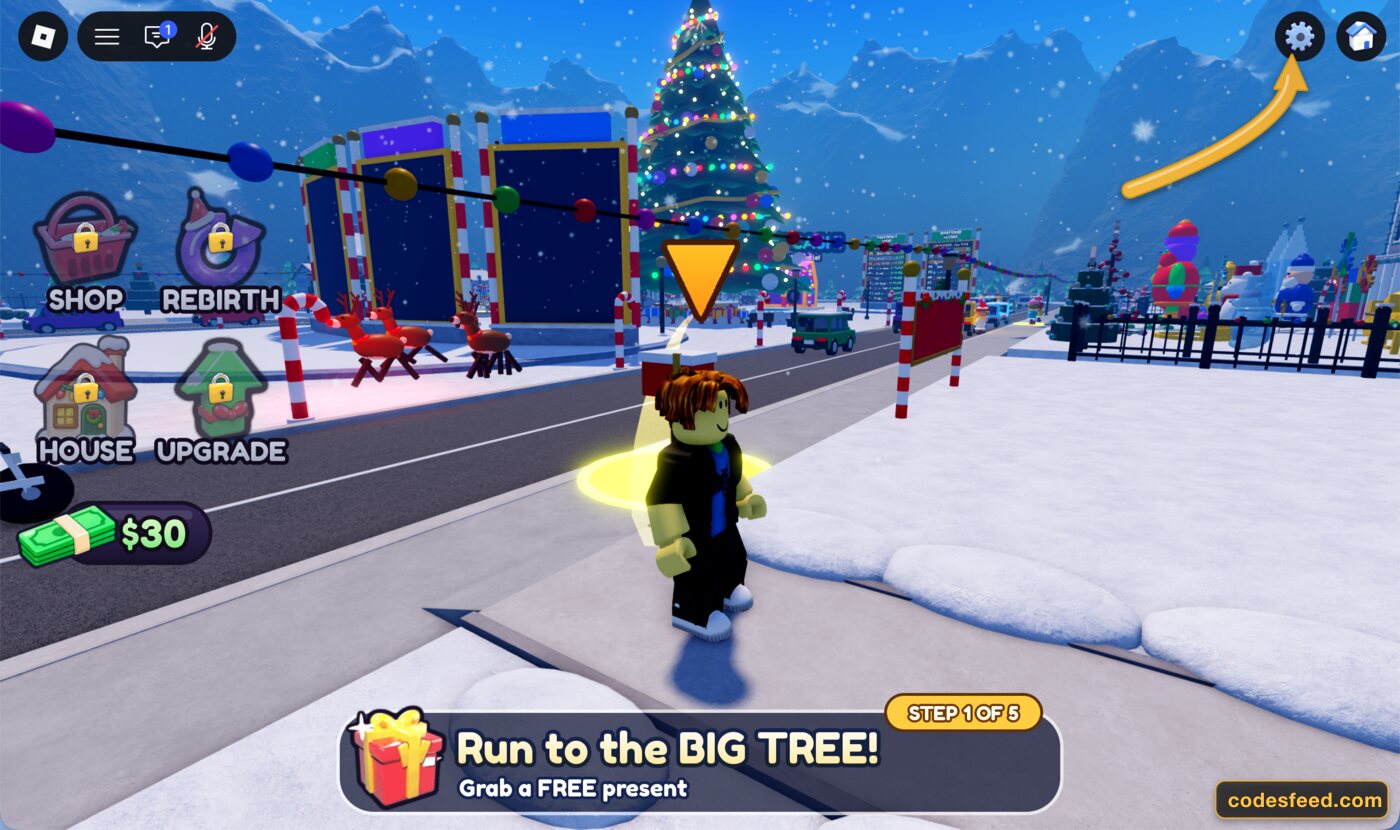
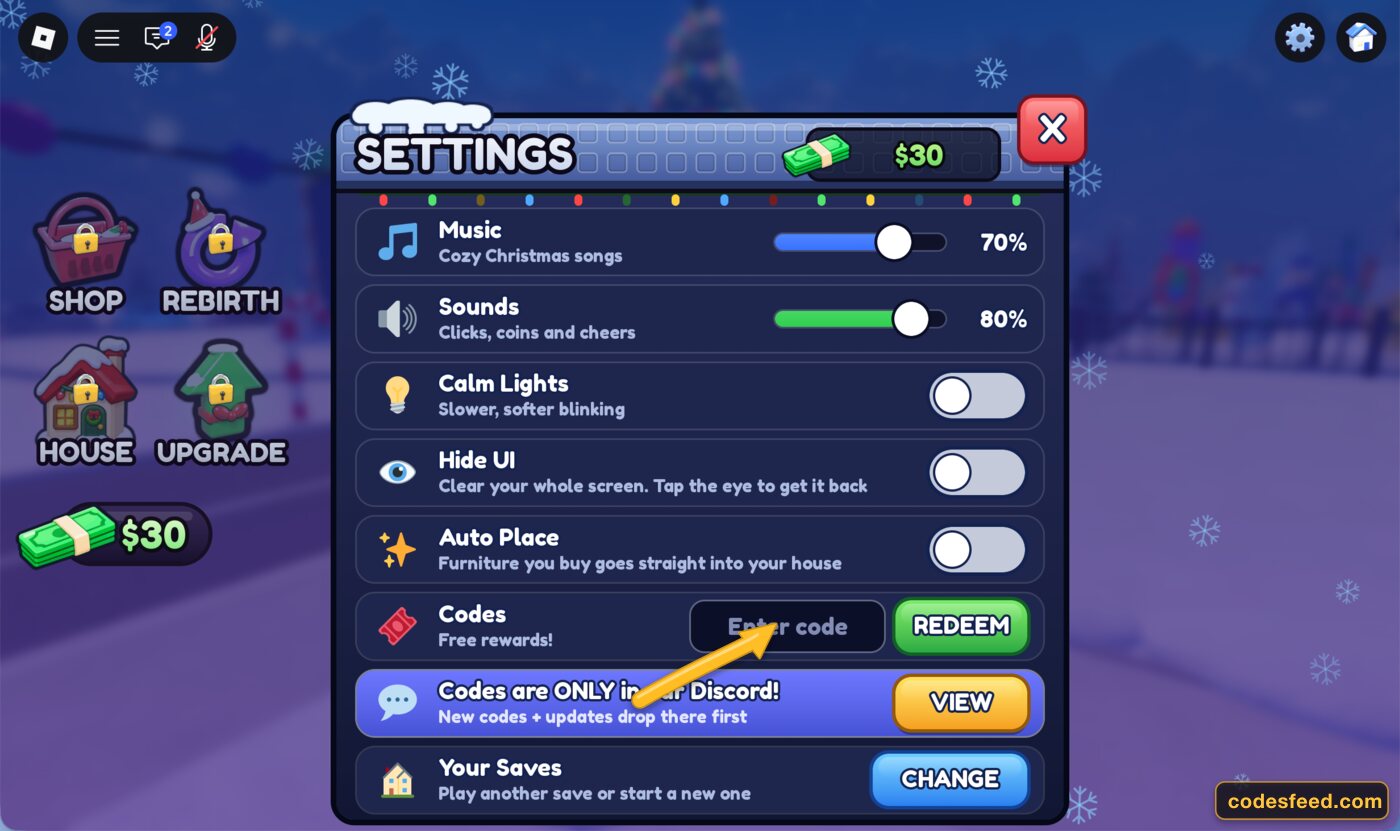
The code field lives in the Codes row of the Settings panel, behind the gear in the top-right corner of the lobby, under a banner that reads “Codes are ONLY in our Discord!”.
- 1
Open Light Up Christmas! on Roblox and finish the five-step tutorial, which starts with a run to the big tree. A code typed before the last step is accepted and does nothing.
- 2
Click the gear in the top-right corner of the lobby to open Settings.
- 3
Type a code into the box beside Codes, the row that reads “Enter code”, and press the green REDEEM button.
- 4
Watch the line that appears across the top of the panel: a code that lands reads “Code worked!” with its effects and, for a timed one, a duration; a code already taken answers “You already used that code!”.
Why is my Light Up Christmas! code not working?
Nearly every failure is one of these four, and you can rule each of them out in a minute.
- A stray space or a capital letter. A copied code often carries a space at the end, and a phone will change the capitalisation on its own. Paste it into a notes app first, look at the first and last character, then paste it into the game.
- The developer switched it off. Codes stop working with an update, and the announcement is easy to miss. If your code is not in the working list above, it is finished.
- Your account already took it. A code pays out once per account. If you played on another device, or passed the code to a friend, it may already be claimed.
- It asks for something first. Some codes want you to join the game's group, reach a level, or finish the opening before they pay. The Prerequisite column says which ones on this page.
If none of those explains it, mark the code with the thumbs-down beside it. That is how a code that really has died leaves this list.
How to get more Light Up Christmas! codes
New codes come from the developer. These are the developer’s own places, and what else is worth doing in the meantime:
- Join the Discord
Discord
Every string lands in #🎟│codes with an @Code Ping role mention and little else: SNOWDAY is the one post that names a payout, and none carries an expiry. The last post was TREEBONUS on 17 November, and the game’s own settings panel points at this server rather than at a website.
Light Up Christmas!
Frequently Asked Questions
What does SNOWDAY give in Light Up Christmas?
2x Presents and 2x Luck for 20 minutes, which is how the developer worded the post: “SNOWDAY – 2x Luck + 2x Presents (20 min)”. Nothing on screen attributes a buff to the code that granted it, so the sign it landed is the pair of timers down the left, one headed “2x Presents” and one “2x Luck”, counting down.
What does “You already used that code!” mean?
That the code is spent on the account that is playing, not that it is broken: a repeat redemption is answered with that line across the panel. A redemption made before the tutorial was finished took silently in the check that produced this page, so a code can look dead when it has in fact landed.
Do Light Up Christmas codes expire?
No string posted there carries a printed deadline, and the developer has not named one as expired since the first post on 10 November 2026. A code leaves the working list here only when a post in that channel says so, or when a check finds it refused in game.
Is this the same game as Don’t Leave Christmas?
No, and they share a server rather than a game. Don’t Leave Christmas is a present-hopping horror obby published by ChunkyHQ, a different group, and it shipped on 5 November 2026. Light Up Christmas! is the decorating tycoon in The Chunkies!, the group whose game page carries the Discord invite.
How these codes are checked
Every code on this page comes from the developer’s own Discord, which is the only place these strings are published. The list is re-checked every week. That is one person’s work, not a team’s: CodesFeed is written by the CodesFeed editor. If a code fails on your account, mark it broken with the thumbs-down beside it — the votes are what puts a code back on the re-check list. The timestamp at the top of the page is the last time this list was checked, to the minute.
What Light Up Christmas! is
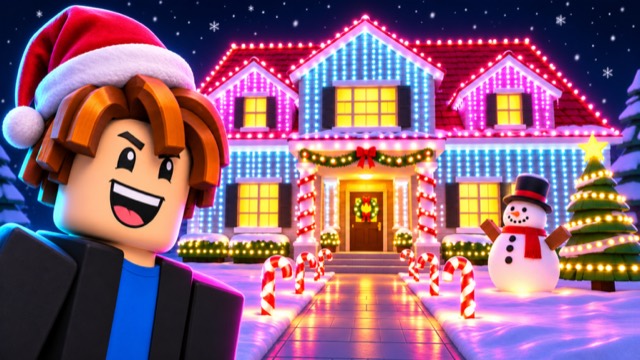
Light Up Christmas! is a decorating tycoon from the group The Chunkies!: string lights and inflatables across a house, watch the cars drive past at night, and spend the takings on a bigger display, presents with rare exclusives, rebirths and, since 14 November, co-op. It shipped on 9 November 2026 and the pages covering it are thin. What makes these codes different is where they are printed: the game description says “Codes are only in our Discord!”, the settings panel repeats it, and the developer posts each string in a channel of his server with a ping role rather than in the game or on a site. No scraper can read that, which is why three of the sites that do cover the game report that there are none. Redeeming them in the client, which is how this page was written, makes the game print a line of its own: “2x Presents for 20 min!” for TREEBONUS, a free Mega Spin for MEGASPIN, a Super Luck spin for SUPERLUCK, a ten-minute triple buff for JINGLEBELLS. Those figures are read off the game; SNOWDAY’s is the developer’s wording, because the only trace it left was a timer.
- Genre
- Christmas decoration tycoon
- Platform
- Roblox
- Studio
- The Chunkies!
- Released
- 2026-11
More Roblox codes
- A Bizarre Run CodesAnime fighting8 codes

- STAND OUT CodesOpen-world action · Studio Umbra: Europa4 codes
- Untitled MMA Game CodesMMA fighting · 5iveStarStudios211 codes

- Blox Fruits CodesAnime adventure · Gamer Robot24 codes
- Blue Lock Rivals CodesSports6 codes
- Steal a Superpower CodesAnime fighting12 codes

- Beyond Nen CodesAnime RPG7 codes
- Practical Basketball CodesSports8 codes

CodesFeed is not affiliated with The Chunkies!. Codes are published by the game’s developer or reported on dated lists; the screenshots are captured in the game or from its own pages, on the date shown.